
Skip to content
SDS Library
Download the Tool Login

ClearCare Migration Tool

The free Windows utility that moves your ClearCare Desktop data into ClearCare+. Run it on your store PC and it takes care of the rest: it finds your database, uploads it securely, and sets up your account in the cloud.

  • Moves your customers, test history, and settings into ClearCare+
  • Finds your ClearCare database automatically, no settings required
  • Reads and copies your data. Nothing on your desktop PC is deleted.
For Windows
Desktop installer, 64-bit
Download v1.0.1

Free for ClearCare dealers. Trouble installing? Follow the steps below.

Version
1.0.1
Released
June 15, 2026
Size
75 MB (ZIP)
Runs on
Windows 10 & 11

From download to migrated in four steps

01

Download

Get the installer ZIP with the button above. Not at the store? Save it to a USB drive and bring it to your store PC.

02

Install

Open the ZIP, run ClearCare Migration Tool 1.0.1.exe, and approve the Windows prompts. After Install and Finish, the tool opens on its own.

03

Scan

Click Get started on the welcome screen. The tool finds your ClearCare database automatically, no settings needed.

04

Migrate

Check the data it found, then click Migrate to Cloud. The tool uploads everything, sets up your ClearCare+ account, and hands you your new login.

What you'll see on your screen after you click Download

Recent download history ClearCare Migration Tool 1.0.1.zip 71.5 MB • Done Full download history
Your download appears

Click the blue button and the ZIP shows up in your browser, usually in a corner of the window. Click it to open.

Windows protected your PC Microsoft Defender SmartScreen prevented an unrecognized app from starting. Running this app might put your PC at risk. More info Don't run
Windows checks the new app

Normal for a newly published app, nothing is wrong. Click More info. It looks the same on Windows 10 and 11.

Windows protected your PC Microsoft Defender SmartScreen prevented an unrecognized app from starting. Running this app might put your PC at risk. App: ClearCare Migration Tool 1.0.1.exe Publisher: Unknown publisher Run anyway Don't run
Choose Run anyway

Click it, approve the Windows prompt, then click Install and Finish. The tool opens on its own.

ClearCare+ Cloud Migration & Sync Tool
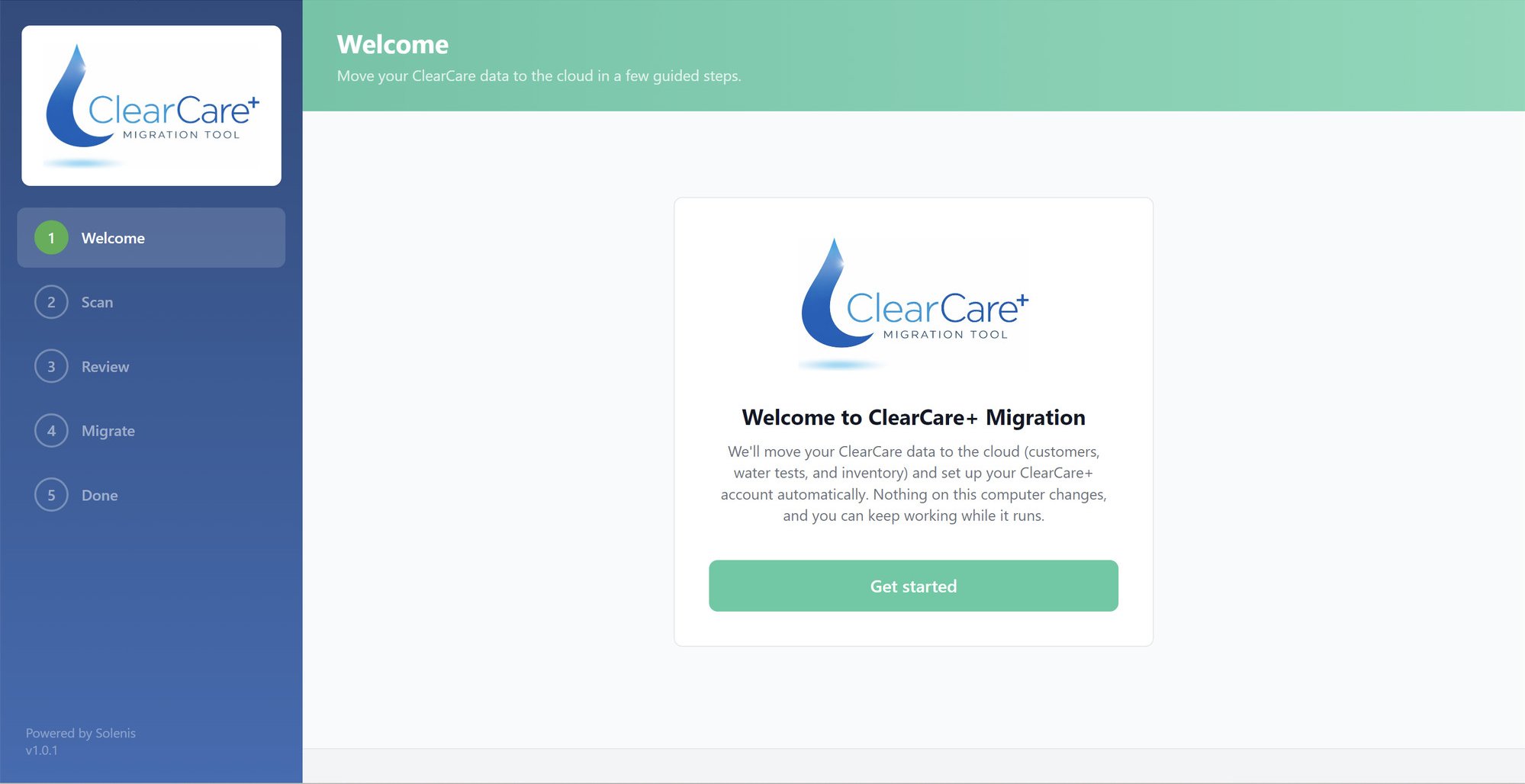
The ClearCare+ Cloud Migration & Sync Tool welcome screen with its five guided steps
The tool takes it from here

It opens on this welcome screen. Click Get started, check the data it finds, then click Migrate to Cloud. The tool handles the rest.

No IT department required

Runs on your store PC
Works on Windows 10 and 11. Install it like any other program and it opens ready to go.
Finds everything itself
Open it on the computer where ClearCare Desktop lives and it locates your database on its own. No passwords, no lookups, no setup screens.
Does the moving for you
Your data travels securely to ClearCare+ over your regular internet connection while the tool shows you its progress. Start it, and it handles the rest.
Nothing to prepare
No account to create first, the tool sets up ClearCare+ for you. And your desktop install keeps working exactly as before, supported through the end of 2026.

Releases

1.0.1 Current
June 15, 2026
Initial public release.

Try it. Your ClearCare Desktop stays exactly as it is.

The tool reads and copies your data, it never changes it. Run your first migration, take a look around ClearCare+, and keep working in your desktop system for as long as you need. If a question comes up at any point, our onboarding team is one email away.

Prefer the main site? Head back to the ClearCare+ overview.